

Private document assistant
Ask your documents questions from a chat interface, at your premises: answers with references, access by folder or by team.
From 16 GB of VRAMDelivery to all 27 EU countries · No customs fees within the EU · Manufacturer warranty
Ready-to-use AI workstations from €2,490, multi-GPU rigs and servers: new, tested hardware, configured for your models and your software, delivered or hosted.

AI Workstation Threadripper1 to 3 NVIDIA RTX PRO 6000 Blackwell 96 GB
from €48,990 excl. VATReserve with a refundable €500 deposit
Indicative estimate: 60 % occupancy, electricity at 0,20 €/kWh and commission deducted. Income varies and is not guaranteed.
Four simple configurations, built and tested by us with new components: you plug in the workstation, open the chat interface in your browser and get to work. Your data stays with you.
1× NVIDIA RTX 5060 Ti 16 GB
Qwen3 8B / 14BGemma 3 12Bgpt-oss-20bQwen3-VL 8BFlux
Private document assistant, first AI projects, 1 to 3 users.
1× NVIDIA RTX 5070 Ti 16 GB
Qwen3 8B / 14BGemma 3 12Bgpt-oss-20bMistral Small 24BFlux
Noticeably faster answers and images, for a small team.
2× NVIDIA RTX 5060 Ti 16 GB
Qwen3 32BQwen3-VL 32BGemma 3 27BQwen3-30B-A3BDeepSeek-R1 32B
30-billion-parameter models, vision and documents, two models in parallel.
2× NVIDIA RTX 5070 Ti 16 GB
Qwen3 32BQwen3-VL 32BGemma 3 27BQwen3-30B-A3BFlux
Several simultaneous users, fast assistants, images and video.
For models with 70 billion parameters and more: 24-core Threadripper, 1 to 3 NVIDIA RTX PRO 6000 Blackwell 96 GB, 128 or 256 GB of ECC RAM. On quote, from €21,990 excl. VAT, reserved with a €500 deposit that is refunded if you withdraw. 8-GPU servers are also available on quote.
Prices include VAT, assembly, installation (Linux, NVIDIA drivers, Ollama, Open WebUI interface) and load testing. New, tested product delivered in 7 working days. Installation at your premises, hosting with us or connection to your documents: on quote.
Ask your documents questions from a chat interface, at your premises: answers with references, access by folder or by team.
From 16 GB of VRAMRun Llama, Mistral, Qwen or DeepSeek on your own machines: your data stays with you.
16 to 96 GB of VRAMImage and video generation (Stable Diffusion, Flux…), upscaling and accelerated editing.
16 to 32 GB of VRAMAdapt a model to your business data with LoRA or full training on multiple GPUs.
48 GB and above, multi-GPU3D rendering, simulation, scientific computing: the parallel power of GPUs for your projects.
Depends on the softwareA desktop workstation in a closed case, for querying your documentation from a chat interface: documents, indexes and answers stay with you. Workstation delivered ready to use; connection to your documents and installation on quote.
Essential 16 GB workstation from €2,490 incl. VAT · connection to your documents on quote8-GPU NVIDIA servers (RTX PRO 6000 Blackwell, L40S, HGX B300) for enterprise inference and training. Configured and delivered on quotation.
See all (12)Ready-to-use multi-GPU rigs and open-frame chassis to build your own compute station.


Graphics cards and equipped PCs, sold individually, to complete an existing workstation.
See all (41)High-power server and ATX power supplies, breakout boards and cables to power multiple GPUs safely.


Multi-PCIe motherboards for rigs and compute stations, with compatible processors and memory.


Processors and RAM to complete a workstation: the rest of the components are in the Memory collection.
Models to run, software, budget, space or power constraints: one call is all it takes to scope your project and propose a suitable configuration.
VRAM determines the size of model you can load. Orders of magnitude for running a language model (weights only, excluding long context).
Indicative values: allow 10 to 30% more for context and batch processing. Training requires considerably more memory.
Before choosing a machine, see what happens inside: our 3D tours and guides show how a language model produces its answer, what a GPU does in the meantime, how much it can earn and how to equip yourself well.
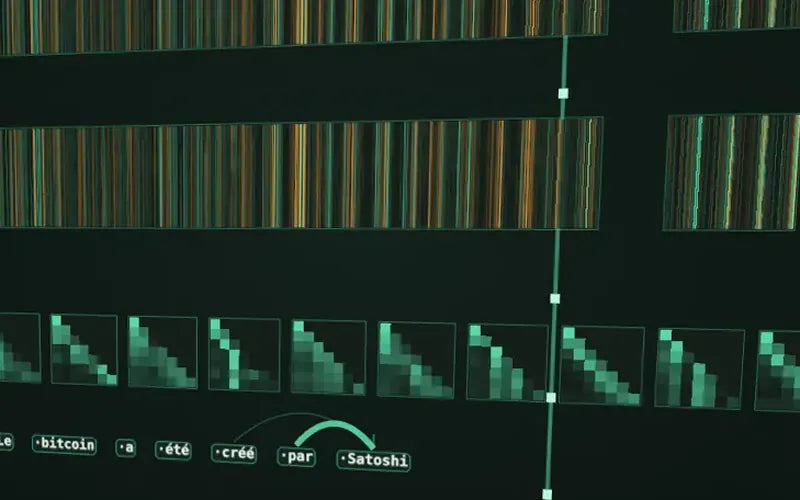 3D tour
Follow a sentence through a real AI model: splitting into tokens, attention, 24 layers and the choice of the next word.
Start the 3D tour 3D exploded view
From the 8-GPU server down to the Tensor Core: the GH100 chip, its 141 GB of HBM3e memory and the path data takes during an AI computation.
Explore the H200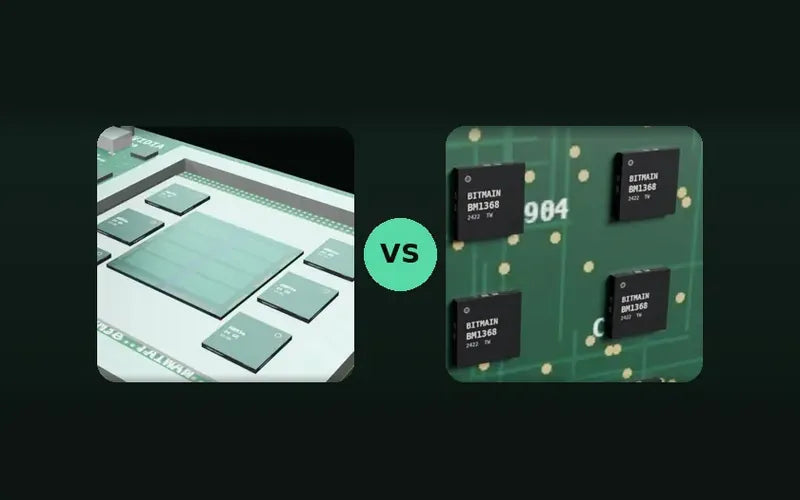 Guide
Why a GPU can run any model, why an Antminer cannot, and where Google's TPUs fit in.
Read the comparison Tool
What a GPU rented out for AI earns, electricity deducted: net monthly revenue and payback period, model by model.
Calculate my profitability Guide
What an AI running on your own premises changes for confidentiality, what it does not change, and the hardware to plan for.
Read the guide Guide
Our selection, updated every month: which open model to run with 16, 32 or 96 GB, or on a server.
Read the guide Guide
Video memory, graphics card, processor: how to choose the machine for the models you are aiming for.
Read the guide Guide
Cloud by the hour, a machine on your premises or hosted in France: the numbers to pick the right option.
Read the guide Guide
How a chain of blocks certifies an image, a dataset or an AI decision, explained in 3D.
Read the guideModels, software, data volume, budget and installation constraints (noise, power, space).
We propose the right GPUs, memory, storage and power supply, with a detailed quote.
The machine is assembled, updated and load-tested before shipping.
Delivered ready to use in France and across Europe, or hosted and maintained on our premises.
A 16 GB card is enough for models of up to 14 billion parameters and for a document assistant. 32 GB, for example two 16 GB cards, covers quantized models of around 30 billion parameters and image generation. 70-billion-parameter models require 48 to 96 GB or several GPUs. The VRAM guide above gives the orders of magnitude, and our 3D tour of an LLM shows what the model does with that memory.
A single GPU upgrades an existing workstation. A rig brings several cards together in a machine sized for them (power supply, cooling). The 8-GPU AI server is aimed at businesses: reliability, fast interconnect between the cards and continuous operation. To see what is inside such a server, explore the NVIDIA H200 GPU in 3D.
Yes. Send us your software, models, memory requirements and installation constraints: we will work out a suitable configuration and send you a quote.
Yes, just like our miners: the machine can be hosted, powered and monitored on our premises, with remote access.
Two 16 GB RTX 5060 Ti or RTX 5070 Ti cards offer 32 GB of VRAM for significantly less than an RTX 5090, which is currently scarce and expensive. Ollama, llama.cpp or vLLM split the model across the two cards, and you can also run two models at the same time, one per card. A single 32 GB card remains faster on a large model: we offer it on quote, depending on availability.
No. An Antminer can only compute bitcoin's SHA-256: it has neither the memory for a model's weights nor the units to multiply matrices. AI requires GPUs, or ASICs designed for it such as Google's TPUs, which are not available for sale on the open market. Our ASIC vs GPU comparison explains why, chip by chip.
It depends on the card model, the occupancy rate and your electricity price. Our GPU profitability calculator estimates the net monthly revenue and the payback period, model by model. These are indicative estimates, not a guarantee of revenue.
Tell us your models, software and budget: we will propose a tested configuration, delivered or hosted.
Thanks for subscribing!
This email has been registered!


